Nearby aircraft
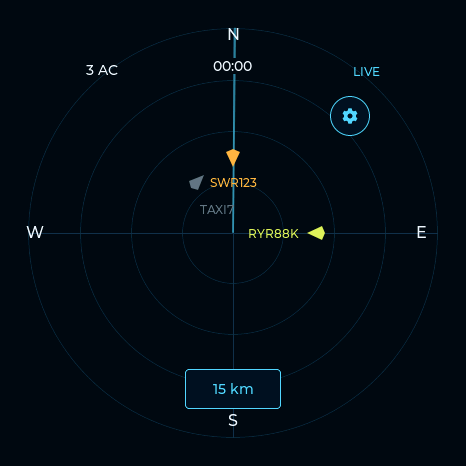
A round touch display brings nearby traffic to your desk. Choose a radius from 5 to 75 km.
 AeroRadar
Get launch updates
AeroRadar
Get launch updates
A dedicated aircraft display and a connected tracking dashboard. See nearby traffic, explore aircraft details, and review your recorded encounters.
Loading AeroRadar software…
Tap the screen as you would the device. Try the gear, range button, aircraft contacts and detail tabs.
A round touch display brings nearby traffic to your desk. Choose a radius from 5 to 75 km.
Tap a contact for altitude, speed and aircraft information, with route hints when available.
Four themes, adjustable brightness, display rotation and your choice of measurement units.
Explore the AeroRadar website: recorded sightings, repeat visitors, aircraft types and activity across your selected radar, period and range.
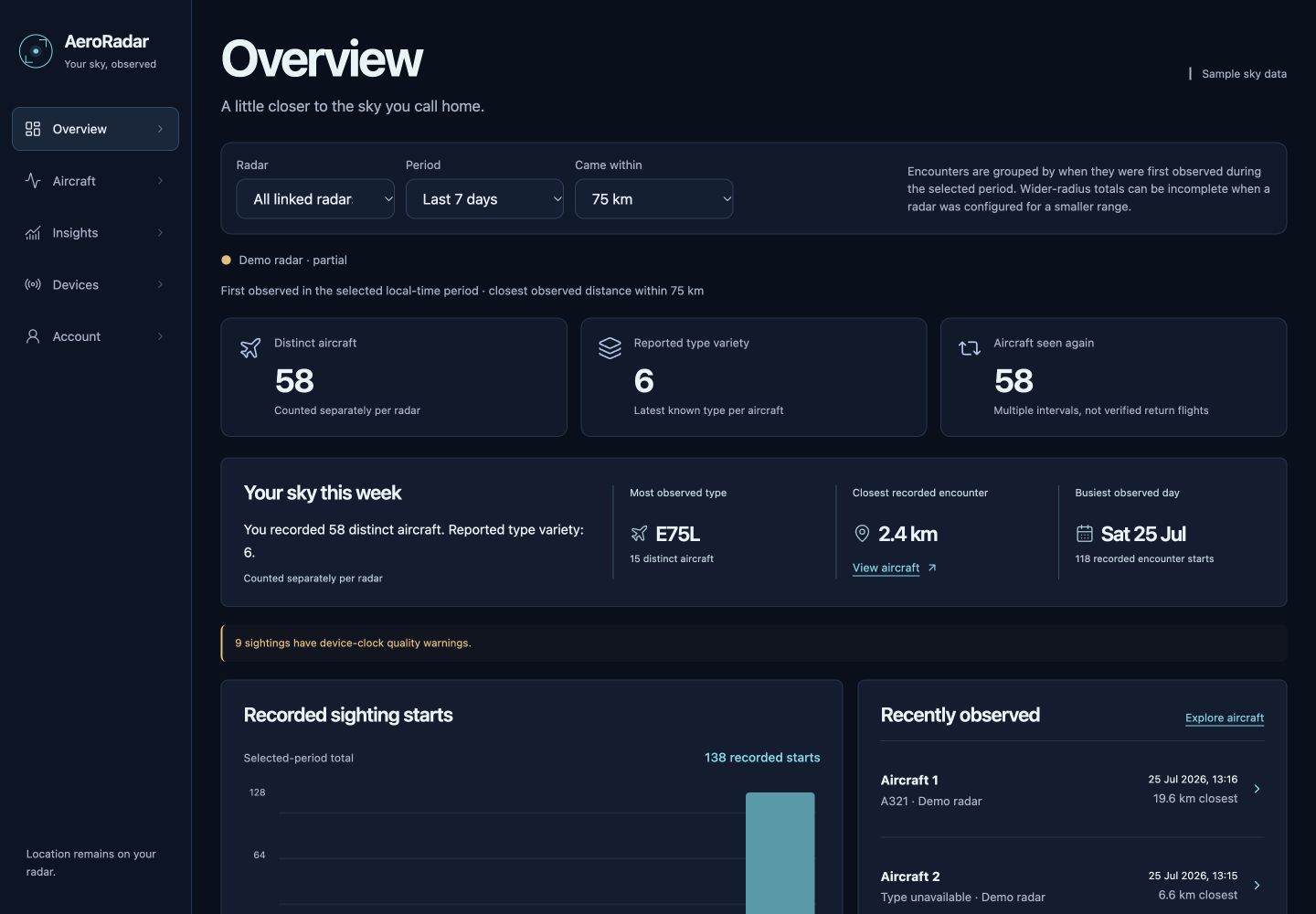
Change the filters, browse aircraft, open details and explore Activity and Collection. No account needed for the demo.
Interactive AeroRadar website · Demonstration data
Select a radar, a period up to 90 days and a distance range. Your selection follows you between views.
Search grouped aircraft, inspect individual sightings and open a detailed aircraft sheet.
Review activity, type diversity and repeated encounters in Activity and Collection.
Screenshots and interactive demo use the released website with sample observations. Your linked radar supplies your own history. No continuous flight paths are inferred.
Connect AeroRadar to Wi-Fi and save the location you want to observe.
Set your range, theme, units and radar motion. Switch between radar and aircraft list.
Optionally connect your radar to your account to explore recorded encounters online.
Yes. AeroRadar connects to Wi-Fi and uses internet flight data around a location you save during setup. It isn't a standalone radio receiver, and the current board does not have GPS.
No. The physical radar can show nearby aircraft without a cloud account. The optional dashboard lets you link your radar and explore its recorded sightings in a browser.
Coverage depends on the flight-data source. Some aircraft, photos and route details may be missing. The current dashboard shows recorded encounters, not reconstructed historical flight paths.
The interactive radar runs AeroRadar's actual display interface in your browser, using demonstration aircraft. You can tap contacts, open details and change settings. Wi-Fi, cloud pairing, image downloads and firmware updates require a physical device and aren't performed by the demo. The current hardware is a round 1.75-inch touch display; the final enclosure is still being developed.
AeroRadar is in development. There isn't a confirmed price or launch date yet. Join the waitlist below for product updates and availability news. Signing up is free and doesn't reserve a device or commit you to buying one.
Get product updates and availability news.
No purchase commitment. Just product and launch news.